GUIDE · BEATS · ANY DAW
How to make 808s hit on phone speakers.
Phone speakers can't play much below about 100-150 Hz, so a clean sub 808 just vanishes. The fix is giving the 808 harmonics your ears hear as the same note, higher up. Here's how with stock plugins.
By Jordon Lumley, producer and maker of SCRAMBLE. · Nov 2026
Step by step.
With your DAW's stock plugins. The numbers are starting points: trust your ears.
- Pick the right 808. A 808 with some punch or distortion already in it is half the battle. Tune it to the song's key.
- Saturate it. Add a saturator or soft clipper, 20-50% mix. This adds harmonics at 2x and 3x the note, which phones CAN play.
- EQ the harmonics. Boost a little around 100-200 Hz (and try 800 Hz-1 kHz for the 'knock'). Cut anything under 30 Hz.
- Check in mono. Keep the 808 mono below 120 Hz. Stereo low end cancels on phones.
- Make room for the kick. Sidechain the 808 to the kick (fast release) or shorten the kick so they don't fight.
- Test on a phone. Bounce and play it on your phone. If you can't hear the notes, add more saturation, not more bass.
Or do it with one free plugin.
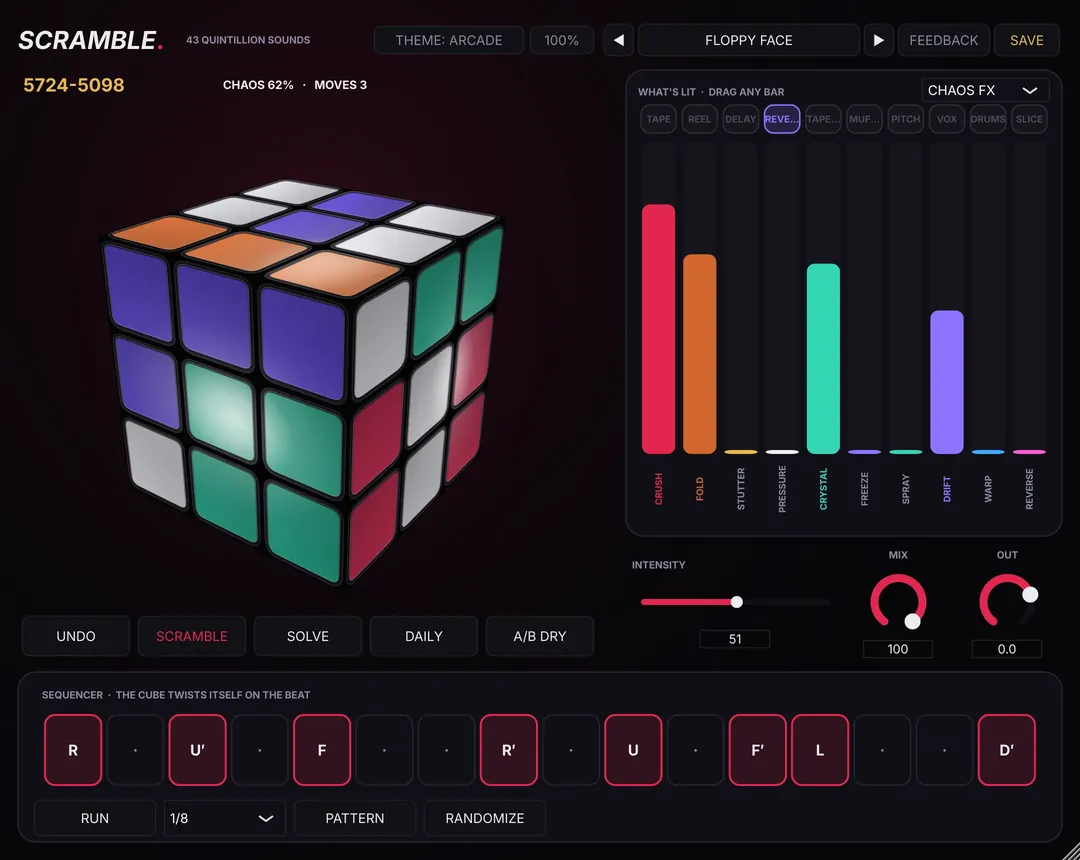
Put SCRAMBLE on the 808 and pick DRUMS mode for clipped, thicker, distorted versions, or MORE FX for SUB and PUNCH. The 808 SURGERY preset pack (16 presets) is built for exactly this; it's a free pack of the week on Nov 23.
Free preset packs every week: see this week's free packs →
SCRAMBLE is free.
SCRAMBLE is a free FX plugin you play like a Rubik's cube: 43,252,003,274,489,856,000 positions, each a different FX chain. It works on drum buses, 808s and bass, hats, loops, vocals and the master bus, not just loops. 237 presets + 10 vocal chains free, Mac + Windows.
Questions
Why can't I hear my 808 on my phone?
Phone speakers barely play below 100-150 Hz. Without saturation, a clean 808 has almost nothing up where phones play.
Should I distort my 808?
A bit, almost always. Even 20% saturation makes the 808 readable on small speakers.