GUIDE · BEATS · ANY DAW
How to make transitions in beats.
A beat feels finished when the sections connect. These are the transitions producers use most, all doable with stock plugins.
By Jordon Lumley, producer and maker of SCRAMBLE. · Nov 2026
Step by step.
With your DAW's stock plugins. The numbers are starting points: trust your ears.
- The drop-out. Mute the drums (or everything but the melody) for the last bar or beat before the hook. Simple and it always works.
- Tape stop. Slow the whole beat to a stop over the last beat. Most DAWs have a stock tape-stop or you can automate pitch.
- Reverse cymbal or reverse reverb. Reverse a crash or a reverb tail so it swells into the downbeat.
- Filter sweep. Low-pass the beat over 2-4 bars, then open it on the hook.
- Drum fill. A snare or hat roll, or reverse the last half bar of drums.
- Half-time. Switch the last bar to half-time for a heavy lead-in.
- Delay throw. Throw the last word or melody note into a long delay and let it ring through the gap.
Or do it with one free plugin.
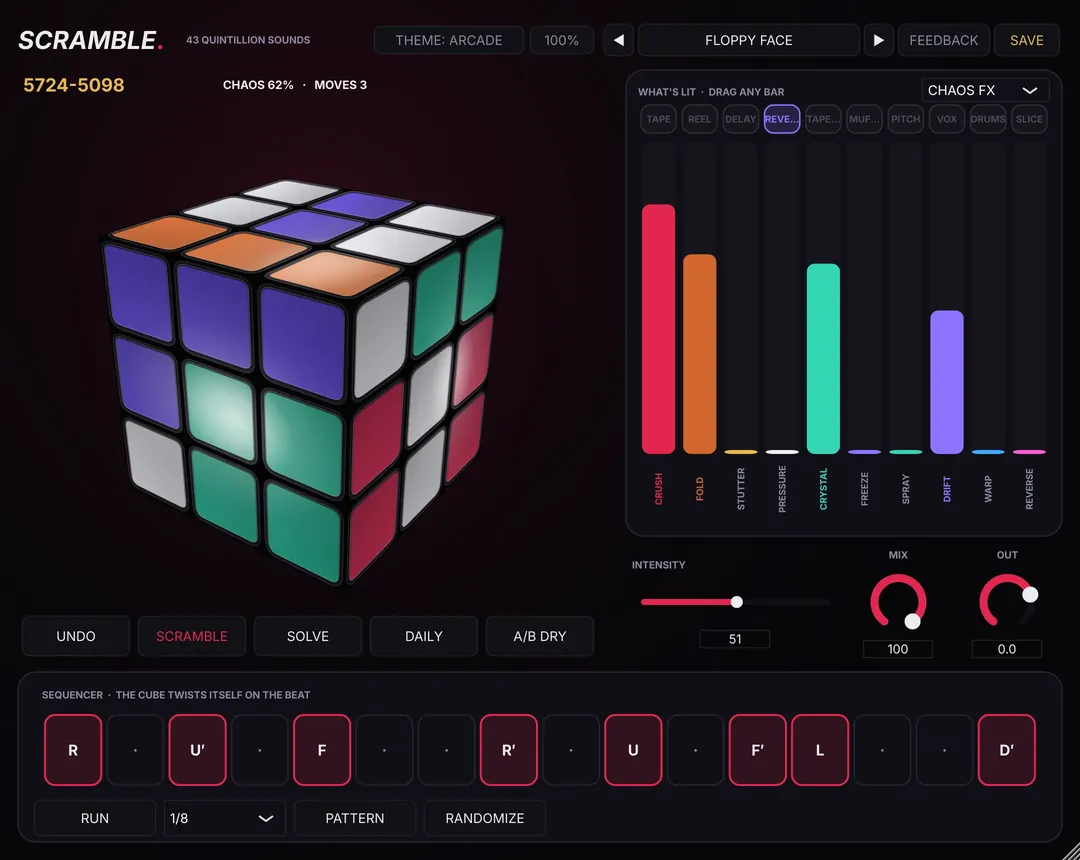
SCRAMBLE has tape stops, half-time, reverses, stutters and glitch fills built in (GLITCH and BEAT SCRAMBLE modes), all in time with your DAW. Free.
Free preset packs every week: see this week's free packs →
SCRAMBLE is free.
SCRAMBLE is a free FX plugin you play like a Rubik's cube: 43,252,003,274,489,856,000 positions, each a different FX chain. It works on drum buses, 808s and bass, hats, loops, vocals and the master bus, not just loops. 237 presets + 10 vocal chains free, Mac + Windows.
Questions
What's the easiest transition for a beat?
Mute the drums for the last beat or bar before the hook.
How do I make a tape stop effect?
Automate the pitch and speed down over a beat, or use a tape-stop plugin. Full guide: how to make a tape stop effect.