GUIDE · BEATS · ANY DAW
How to make a beat in FL Studio.
FL Studio has four windows that matter: Channel Rack, Piano Roll, Playlist and Mixer. Make a beat by going through them in order.
By Jordon Lumley, producer and maker of SCRAMBLE. · Nov 2026
Step by step.
With your DAW's stock plugins. The numbers are starting points: trust your ears.
- Tempo. Set the BPM at the top (try 140 for trap, 90 for boom bap).
- Drums in the Channel Rack. Drag a kick, snare, hat and clap from the Browser into the Channel Rack and click in a pattern.
- Melody in the Piano Roll. Load a synth or sample (FLEX is free with FL), right-click the channel, Piano Roll, draw 4-8 bars.
- 808. Load an 808 sample or synth on a new channel and follow the melody's root notes in the Piano Roll.
- Arrange in the Playlist. Paint your patterns into the Playlist: intro, hook, verse, hook.
- Mix in the Mixer. Route each channel to its own insert, balance levels, then add EQ, compression and a limiter on the master.
- Export. File > Export > MP3 or WAV.
Or do it with one free plugin.
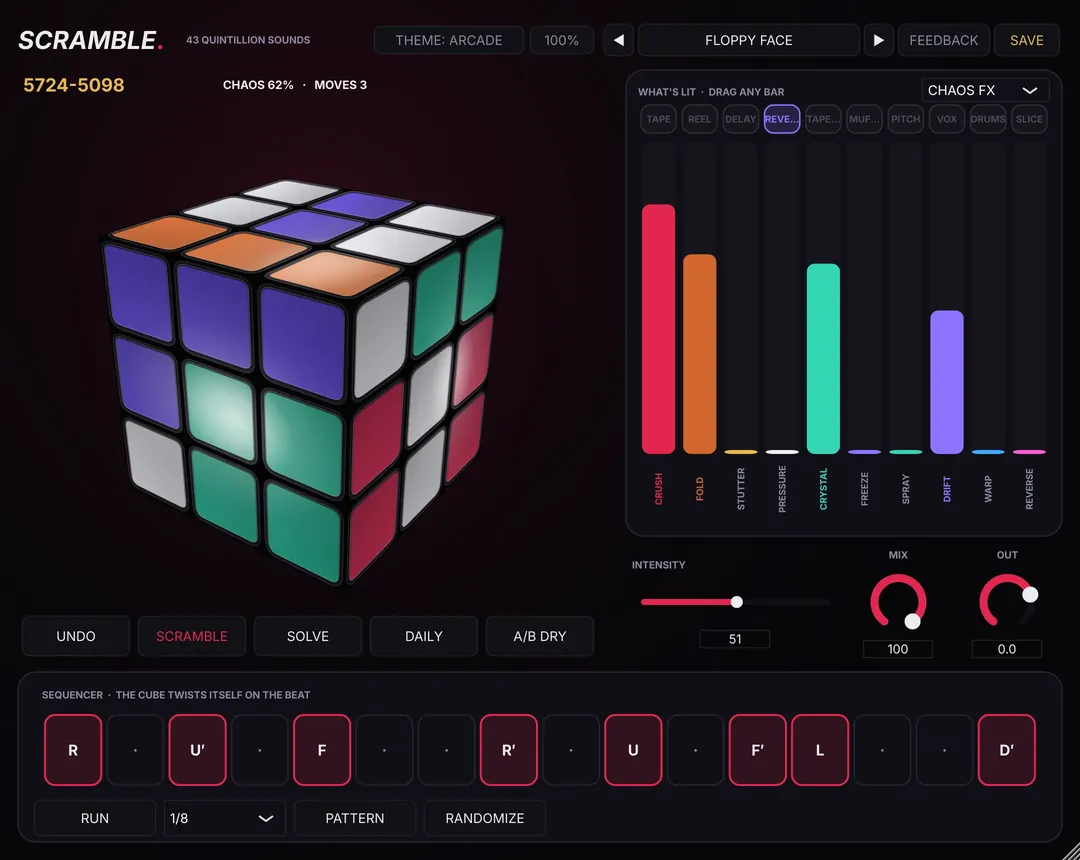
Add SCRAMBLE (free VST3) to any FL Studio insert and twist the cube for a new FX chain on drums, 808, melody or vocals. 237 presets + 10 vocal chains free.
Free preset packs every week: see this week's free packs →
SCRAMBLE is free.
SCRAMBLE is a free FX plugin you play like a Rubik's cube: 43,252,003,274,489,856,000 positions, each a different FX chain. It works on drum buses, 808s and bass, hats, loops, vocals and the master bus, not just loops. 237 presets + 10 vocal chains free, Mac + Windows.
Questions
Is FL Studio good for beginners?
Yes. The pattern-based Channel Rack and Piano Roll make it one of the fastest DAWs to start making beats.
What free plugins should I get for FL Studio?
See our best free FL Studio plugins list.