GUIDE · BEATS · ANY DAW
How to sidechain in FL Studio.
Sidechaining ducks one sound when another hits: the classic is the 808 dipping under the kick. In FL Studio it's two steps: route, then compress.
By Jordon Lumley, producer and maker of SCRAMBLE. · Nov 2026
Step by step.
With your DAW's stock plugins. The numbers are starting points: trust your ears.
- Put each on its own insert. Kick on one mixer insert, 808 on another.
- Route the kick as a sidechain. Select the kick insert, then right-click the send arrow under the 808 insert and pick 'Sidechain to this track'.
- Add Fruity Limiter on the 808. Switch it to COMP mode and set the SIDECHAIN knob to the kick's insert number.
- Set the compressor. Threshold down until the 808 dips on each kick, ratio 4:1 or higher, fast attack, release 50-150 ms.
- Check it. Loop the hook: the kick should punch through and the 808 should come right back.
- Alternative. Fruity Peak Controller or volume automation give the same ducking if you prefer drawing it.
Or do it with one free plugin.
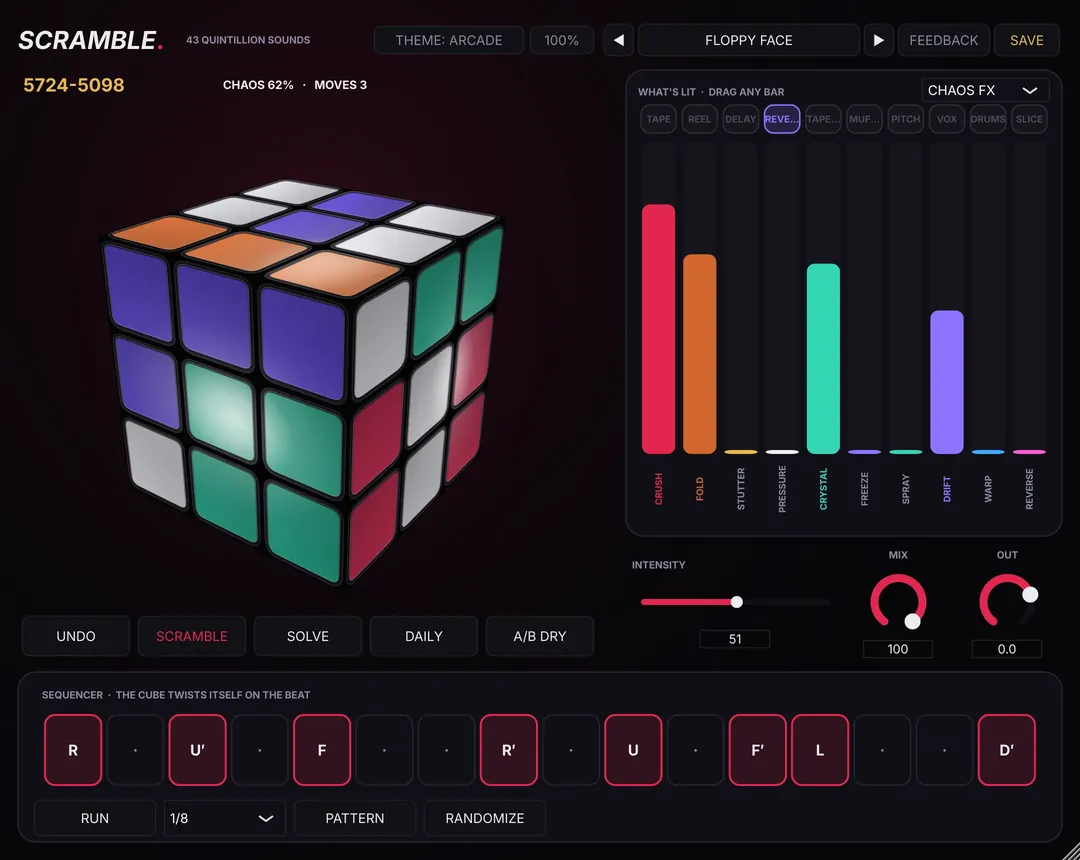
SCRAMBLE has sidechain-style pumping and ducking chains in its MORE FX mode, in time with FL Studio, for quick bounce on loops and pads. Free.
Free preset packs every week: see this week's free packs →
SCRAMBLE is free.
SCRAMBLE is a free FX plugin you play like a Rubik's cube: 43,252,003,274,489,856,000 positions, each a different FX chain. It works on drum buses, 808s and bass, hats, loops, vocals and the master bus, not just loops. 237 presets + 10 vocal chains free, Mac + Windows.
Questions
Why isn't my sidechain working in FL Studio?
Usually the SIDECHAIN number in Fruity Limiter doesn't match the kick's insert, or the kick insert isn't routed with 'Sidechain to this track'.
Can I sidechain without a kick playing?
Yes: put a muted-out ghost kick on its own insert, route it as the sidechain and send it nowhere else.