GUIDE · BEATS · ANY DAW
How to make a vocal chain in Ableton Live.
Ableton's stock devices make a great vocal chain. For pitch correction use Auto Shift (Live 12.1 and newer) or a free tuner on older versions.
By Jordon Lumley, producer and maker of SCRAMBLE. · Nov 2026
Step by step.
With your DAW's stock plugins. The numbers are starting points: trust your ears.
- Tune. Live 12.1+ has Auto Shift: set the key and a fast retune. On older Live, use a free tuner like Graillon (free edition) or MAutoPitch.
- Clean-up EQ. EQ Eight: low cut around 80-100 Hz to remove rumble, and dip boxy spots.
- Compress. Compressor: about 4:1, fast attack, 3-6 dB of reduction. Add Glue Compressor after for a smoother sound.
- De-ess. A second EQ Eight band in a narrow cut around 6-8 kHz, or Multiband Dynamics on the top band.
- Warmth. Saturator, Soft Sine or Analog Clip, small drive, Dry/Wet around 20-40%.
- Delay + reverb on returns. Return A: Echo (1/4 or 1/8, filtered). Return B: Reverb or Hybrid Reverb (short plate).
- Save it. Group the devices (Ctrl/Cmd+G) into an Audio Effect Rack and save it to your User Library.
Or do it with one free plugin.
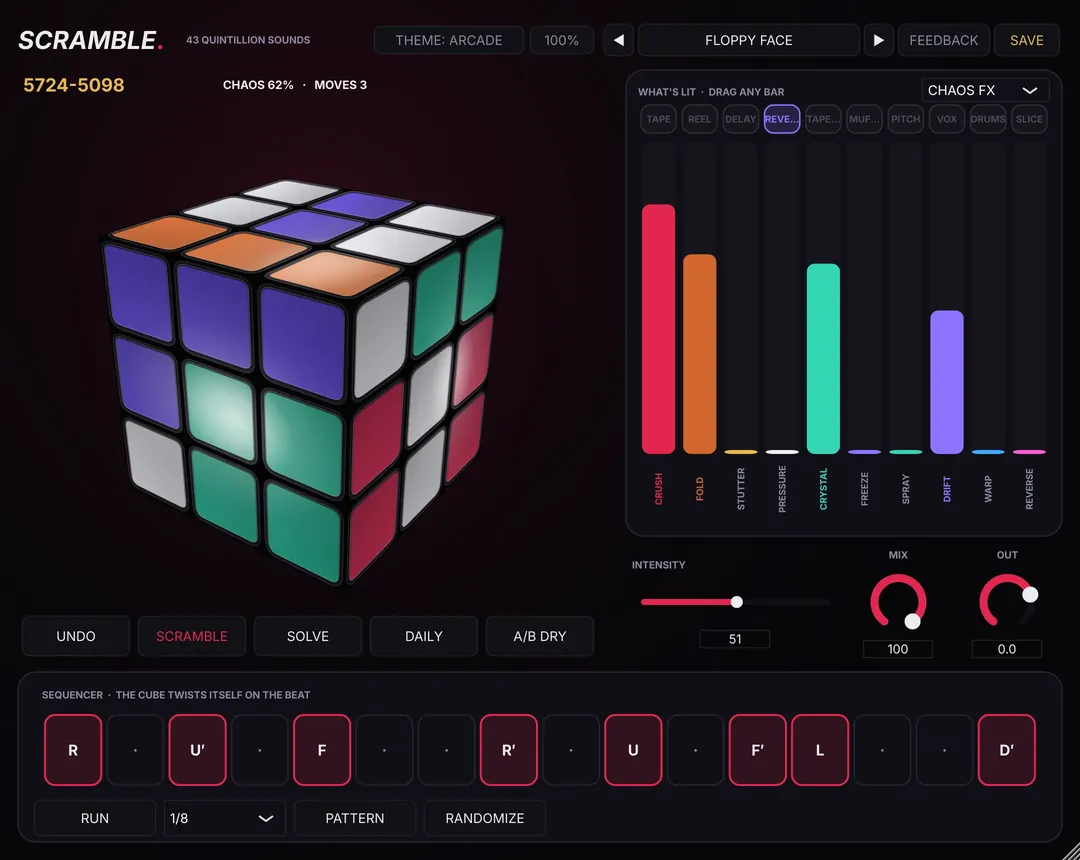
Or drop SCRAMBLE (free VST3/AU) on the vocal track and pick a vocal chain: tune, EQ, compression, grit, doubles, delay and reverb in one plugin. 10 vocal chains free.
Free preset packs every week: see this week's free packs →
SCRAMBLE is free.
SCRAMBLE is a free FX plugin you play like a Rubik's cube: 43,252,003,274,489,856,000 positions, each a different FX chain. It works on drum buses, 808s and bass, hats, loops, vocals and the master bus, not just loops. 237 presets + 10 vocal chains free, Mac + Windows.
Questions
Does Ableton have auto-tune?
Live 12.1 and newer include Auto Shift for pitch correction. On older versions, free options are Graillon (free edition), MAutoPitch, or SCRAMBLE's vocal chains, which include tuning.
What order should a vocal chain be in Ableton?
Tune, EQ, compressor, de-ess, saturation, then delay and reverb on return tracks. Full reasons on the vocal chain order guide.