GUIDE · BEATS · ANY DAW
How to make vocals sound professional at home.
Most 'bad' home vocals are a recording problem, not a plugin problem. Fix the recording first, then the chain does the rest.
By Jordon Lumley, producer and maker of SCRAMBLE. · Nov 2026
Step by step.
With your DAW's stock plugins. The numbers are starting points: trust your ears.
- Treat the spot, not the room. Record facing a closet of clothes or with blankets behind you. Less echo matters more than an expensive mic.
- Mic distance. About a fist to a hand-span away, with a pop filter.
- Gain. Peaks around -10 to -6 dB. Never clip; you can't fix it later.
- Comp the takes. Record 3-5 takes and keep the best line from each.
- Tune and time. Light pitch correction, then nudge late words onto the beat.
- Vocal chain. EQ, compression, de-esser, saturation, then delay and reverb on sends. See the vocal chain order guide.
- Sit it in the beat. Turn the beat down a touch under the vocal, or dip 2-4 kHz in the beat so the words cut through.
Or do it with one free plugin.
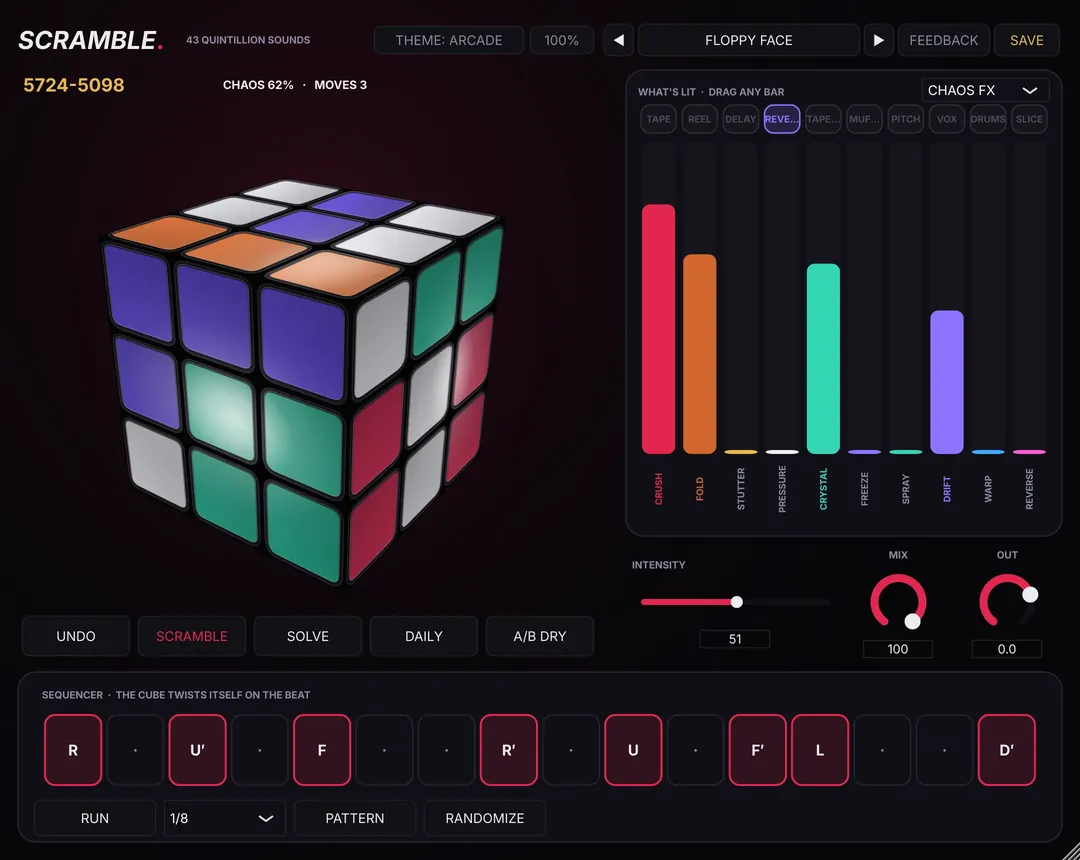
SCRAMBLE's vocal chains do the chain part in one click, sorted by artist style (Yeat, Don Toliver, Travis Scott and more). 10 vocal chains free.
Free preset packs every week: see this week's free packs →
SCRAMBLE is free.
SCRAMBLE is a free FX plugin you play like a Rubik's cube: 43,252,003,274,489,856,000 positions, each a different FX chain. It works on drum buses, 808s and bass, hats, loops, vocals and the master bus, not just loops. 237 presets + 10 vocal chains free, Mac + Windows.
Questions
Do I need an expensive mic?
No. A quiet spot and good mic distance matter more than the mic.
Why do my vocals sound like they're on top of the beat?
Too loud, too dry, or too bright. Add a little delay and reverb on sends and turn them down slightly.